Installing COINSTAC
Download and install the latest release of COINSTAC https://github.com/trendscenter/coinstac/releases
Install Docker
In order to use Docker with Coinstac, the current user need to be added to the docker group instructions here
Docker installation success can be verified by typing docker -v in a terminal or powershell which will output the current version.
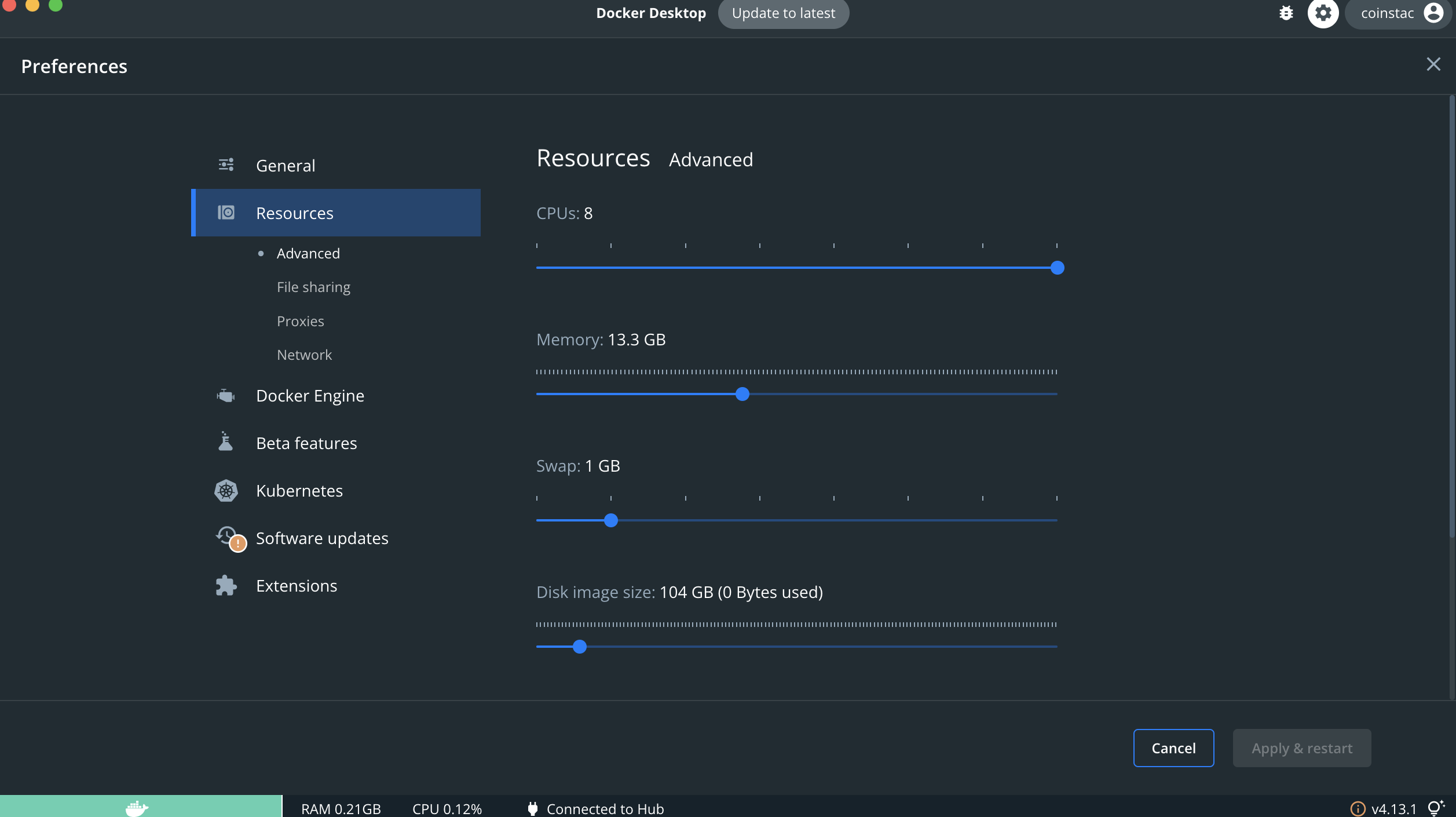
Adding resources to Docker
Coinstac requires a minimum of 8GB of ram to run computations, some computations require more. There is no cpu minimum but it is recommended to give as many cores as possible to speed up computation processing time.
These settings can be adjusted in docker preferences
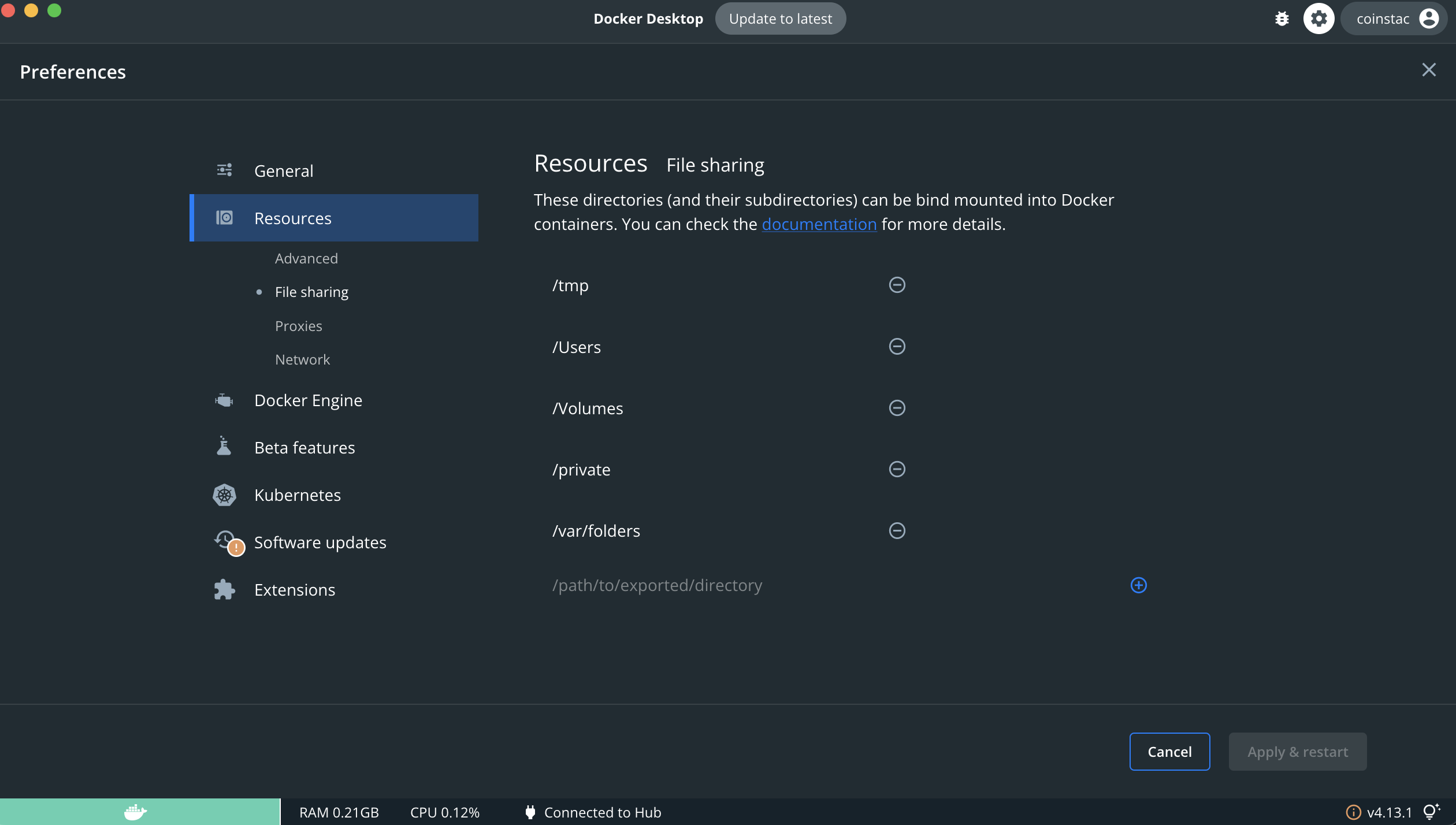
Sharing Drives in Docker
In order for Coinstac to use your data, some folders must be shared. At a minimum the current user's home directory needs to be shared, and whatever folder the data you'd like to process is in.